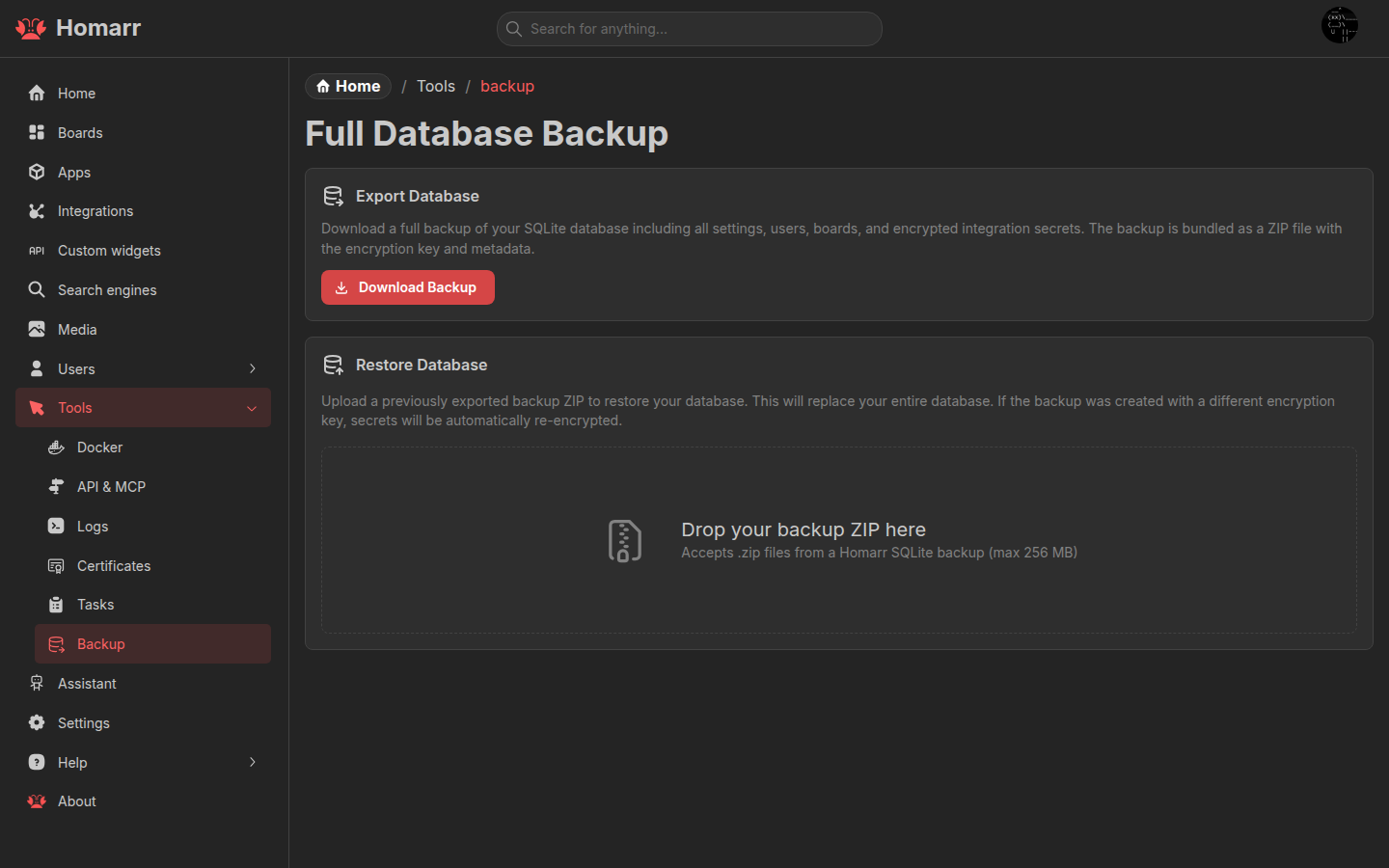
Backup & Restore

Homarr provides a built-in backup and restore system for SQLite instances. You can export your entire database - including apps, integrations, boards, users, and encryption keys - as a ZIP archive, and restore it on the same or a different Homarr instance.

warning

Backup and restore is only available when using the SQLite database driver. MySQL and PostgreSQL instances do not show this page.

Accessing the Backup Page​

Navigate to Management → Tools → Backup. You must have admin permissions to access this page.

Exporting a Backup​

Click the Export button in the export card. You'll be prompted to type I understand to confirm. Once confirmed, a ZIP file downloads containing:

FileDescription
db.sqliteFull SQLite database with all entities
metadata.jsonBackup metadata: Homarr version, creation timestamp, encryption key

The backup includes everything: apps, integrations, secrets, boards, users, groups, permissions, search engines, custom widgets, and server settings. (It just backs-up the whole database)

Restoring a Backup​

1. Upload​

Drag and drop or select a .zip backup file. The import card validates that the file contains a valid db.sqlite and metadata.

2. Preview​

Before restoring, Homarr uses sql.js WASM to analyze the backup directly in your browser. You'll see:

  • Entity counts - how many apps, integrations, boards, users, etc. are in the backup
  • Board names - which boards will be restored
  • Migration status - Drizzle migrations are applied in-browser with a visual timeline showing each migration step

3. Confirm​

Type I understand to acknowledge that restoring will replace your current database. This cannot be undone.

4. Restore​

The backup ZIP is sent to the server, validated, and applied. After a successful restore:

  • The Next.js server restarts automatically to reload the new database state
  • Nginx and Redis (if running in Docker) stay up - only the Next.js process restarts
  • The page reloads once the server is ready

Cross-Instance Restore​

You can restore a backup from one Homarr instance onto another. Homarr handles:

  • Encryption key re-encryption - If the target instance has a different SECRET_ENCRYPTION_KEY, integration secrets are decrypted with the old key and re-encrypted with the new one during import
  • Version compatibility - Backups include the Homarr version they were created with. Backward compatibility is maintained for older backup formats

Backup During Onboarding​

When setting up a new SQLite Homarr instance, the onboarding flow includes a Restore from SQLite backup step. You can upload a backup ZIP directly during onboarding to skip manual setup.

Security​

  • Export requires admin permissions
  • The I understand confirmation dialog prevents accidental exports and overwrites
  • Backups contain encrypted integration secrets - they cannot be read without the SECRET_ENCRYPTION_KEY
  • Import only works on SQLite instances - the API routes refuse requests from MySQL/PostgreSQL instances