
DNS Hole Controls
DNS Hole
Control the blocking feature of your Pi-hole, AdGuard Home or Technitium DNS from your dashboard
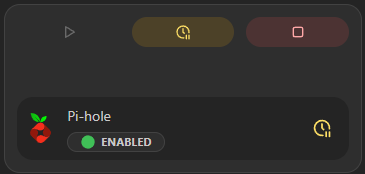
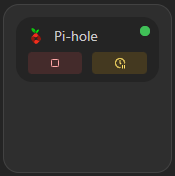
The DNS Hole Controls widget enables, disables, or temporarily pauses one or more DNS services. Actions require Interact access. Healthy controls remain available when another selected integration fails.
Screenshots
Supported Integrations

AdGuard HomeAdGuard Home is a network-wide software for blocking ads and trackers, providing a safer and faster internet experience.

Pi-holePi-hole is a network-wide ad blocker that acts as a DNS sinkhole, blocking unwanted content and improving your browsing experience.

Technitium DNSTechnitium DNS Server is a self-hosted DNS server with ad-blocking and network-wide filtering capabilities.
Interactions
- Enable or disable one DNS service by clicking its status badge.
- Temporarily disable one service with the clock action.
- Apply an action to all available services from the top action row. Homarr keeps successful results visible and reports how many sources failed.
- Interaction controls only appear when the current user has permission for that integration.
Adding the widget
Add the widget from the board's Add board content menu in edit mode.
Configuration
| Name | Description | Values | Default value |
|---|---|---|---|
| Show Toggle All Buttons | Show or not the 2 buttons that may be redundant when having only one DNS Hole. | yes / no | yes |