
Media Missing & Queue
MediaDownloads
Track missing media and active downloads from Radarr, Sonarr, Sportarr and Bindery
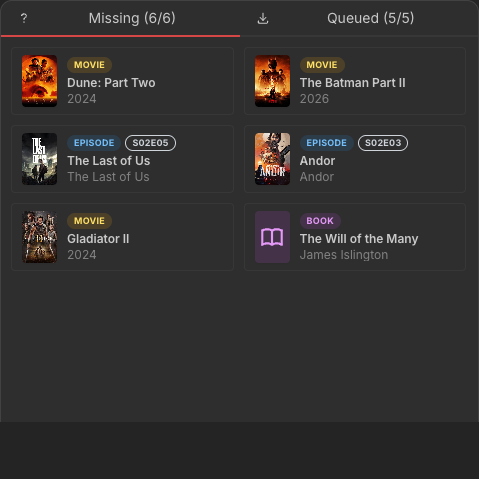
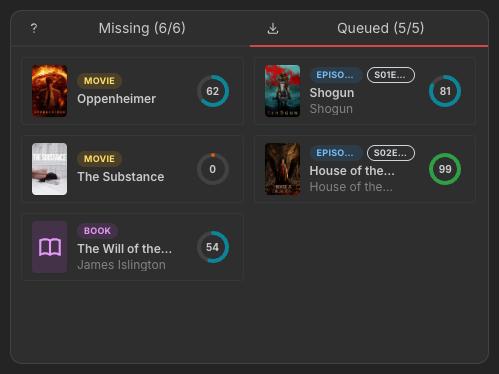
Monitor which movies, episodes, events and books are missing from your library, and track what is currently being downloaded. The widget combines data from Radarr, Sonarr, Sportarr and Bindery, with separate tabs for missing items and active downloads.
Screenshots
Supported Integrations

RadarrRadarr is a movie management tool that automates the process of downloading, sorting, and renaming movies.

SonarrSonarr is a TV series management tool that automates the process of downloading, sorting, and renaming episodes.

SportarrSportarr is a sports event manager that monitors leagues, searches indexers for event releases, and organizes them into your media library.

BinderyBindery is a Sonarr/Radarr-style manager for ebooks and audiobooks that automates searching, downloading, sorting and renaming your book library.
Tabs
| Tab | Description |
|---|---|
| Missing | Lists movies (Radarr), episodes (Sonarr), events (Sportarr) and books (Bindery) that are monitored but not yet available in your library. |
| Queued | Shows items currently being downloaded with a progress bar and estimated time remaining when available. |
Sizing
The widget adapts to its container size, so it looks good at any grid size:
- Wide — fits as many columns of cards as the width allows, filling larger widgets instead of stretching a single column.
- Short — packs items into more, tighter columns so they stay visible in the limited height.
- Narrow (1×N) — tab labels collapse to counts only and posters scale down.
Each item shows its poster art, a type badge, and — on the queue — an animated progress bar with the estimated time remaining when available.
Supports advanced view. See the advanced keyboard shortcuts.
Adding the widget
Add the widget from the board's Add board content menu in edit mode.
Configuration
| Name | Description | Values | Default value |
|---|---|---|---|
| Show Missing | Display the missing media tab, listing movies, episodes, events or books not yet downloaded | yes / no | true |
| Show Queued | Display the download queue tab with progress for each item | yes / no | true |
| Page Size | Maximum number of items to fetch per integration | String | 10 |