
Releases
Displays a list of the current version of the given repositories with the given version regex.
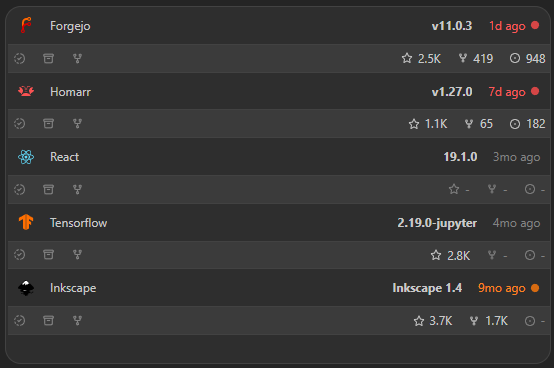
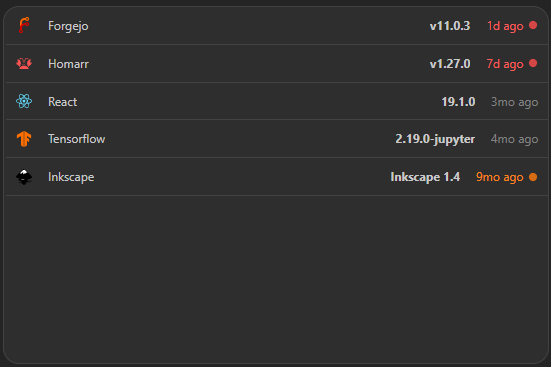
The releases widget enables you to track a list of repositories and see their respective latest release. Compact mode keeps repositories in the familiar full-width stack. It also supports importing releases from your local docker containers.
Screenshots
Supported Providers
GitHub, Docker Hub, GitLab, NPM, Codeberg, GitHub Container Registry, Quay, and LinuxServer.io are configured per repository in the widget. Adding or removing a provider token refreshes active release results.
For GitHub repositories with more than 1,000 releases, Homarr uses the releases returned before GitHub's history limit. The latest release remains available in the widget.
For GitHub Container Registry, use owner/package identifiers such as homarr-labs/homarr.
Full image references such as ghcr.io/homarr-labs/homarr:latest are also accepted.
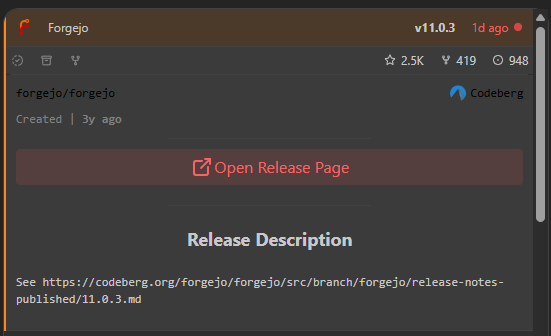
Advanced view shows every configured repository in a roomier responsive layout. Repository names and details remain visible, and selecting a repository still expands its description and links.
Supports advanced view. See the advanced keyboard shortcuts.
Adding the widget
Add the widget from the board's Add board content menu in edit mode.
Configuration
| Name | Description | Values | Default value |
|---|---|---|---|
| New Release Within | The time period in which a new release is marked as new. | Any timespan in format '12h', '3d', '2w', '6M', '1y'. | 1w |
| Stale Release Within | The time period in which a release is marked as stale. | Any timespan in format '12h', '3d', '2w', '6M', '1y'. | 6M |
| Show Only Highlighted | Show only new or stale releases. As per the above. | yes / no | no |
| Show Details | Show the row below the repository with stats about the repository. | yes / no | yes |
| Show only icon | Hides the repository name or identifier | yes / no | no |
| Top Releases | The max number of latest releases to show. Zero means no limit. | Any positive integer or zero to disable the limit. | 0 |
| Repositories | The repositories to show releases for. | Repositories[] | None |
Repositories
| Name | Description | Values | Default value |
|---|---|---|---|
| Provider | Provider to fetch the repository or package releases from. | Select from the available providers. | - |
| Identifier | The identifier of the repository or package, e.g. "homarr-labs/homarr". | Any valid provider identifier. GHCR also accepts full image refs like "ghcr.io/owner/package:tag". | - |
| Provider URL | Base URL for the provider. | Any valid URL. | Provider default |
| Name | Display name of the repository. | String | - |
| Icon URL | URL to the icon of the repository. | String | - |
| Version Regex | The regex to extract the version from the release tag. | Version Regex | None |
Version Regex
| Name | Description | Values | Default value |
|---|---|---|---|
| Prefix | The prefix to match before the version. | String | |
| Precision | The precision of the version |
| None |
| Suffix | The suffix to match after the version. | String |
The version filter is used to match the version tag of the release. It is a combination of the prefix, precision and suffix.
Setting the Prefix to v, precision to 2 and the Suffix to -alpha, will match v1.0-alpha but not v1.0-beta.
Setting the Prefix to v, precision to 3, will match v5.2.0 but not v1.0.2-alpha or Beta v5.2.1.