
DNS Hole Summary
Displays the summary of your Pi-hole, AdGuard Home or Technitium DNS blocks and queries statistics
The DNS Hole Summary widget combines total queries, blocked queries, and blocklist size from selected DNS services. Healthy sources remain visible when another integration fails.
On an uncached board load, Homarr starts summaries on the server for the initial layout, outside collapsed sections. Each result appears when ready; integration permissions still apply.
Screenshots
Supported Integrations



Adding the widget
Add the widget from the board's Add board content menu in edit mode.
Configuration
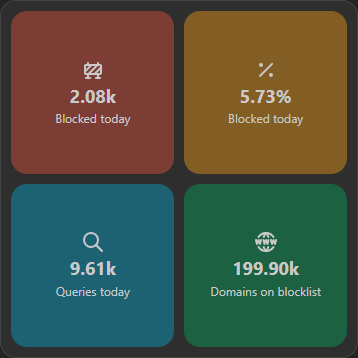
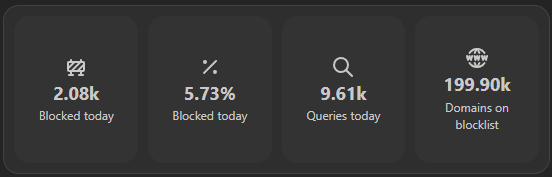
Enable Use Pi-Hole colors to color the four statistics red, yellow, cyan, and green with any supported DNS integration. Disable it to use the board's primary color. Both modes respect the board opacity.
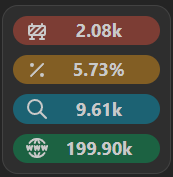
Compact cards, including 1×1 widgets on scaled boards, show abbreviated values without icons or labels. Hover or focus a value to see its metric label; larger cards keep their icons and labels.
| Name | Description | Values | Default value |
|---|---|---|---|
| Layout | Choose the layout of the widget |
| Grid |
| Use Pi-Hole colors | Color the tiles using the background color, that is used by default in Pi-hole, AdGuard Home or Technitium DNS. | yes / no | yes |